


Paint my House: Exterior Color
4.433.00 Reviews
App Specs
- Version
- 3.3.201
- Updated On
- License
- Free
- Downloads
- 100,000+
- Developer
- Try the Colors s.r.o.
- Categories
- House & Home
- Platform
- Android
Screenshots
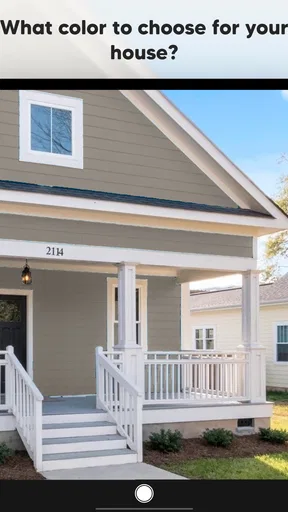
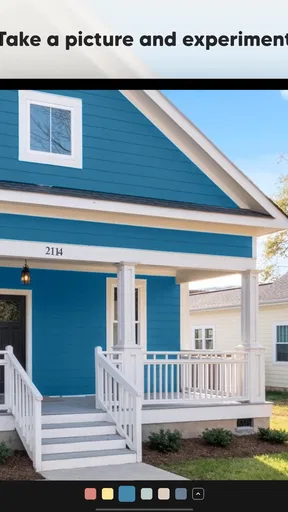
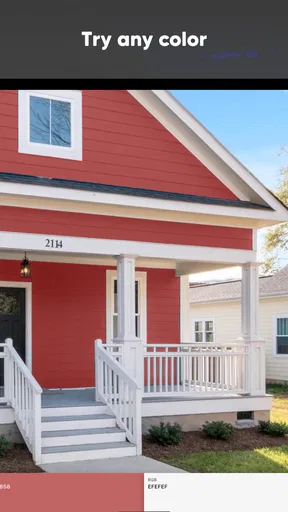
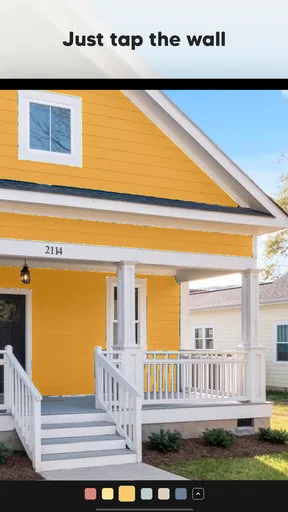
 Analysis by AppCompare
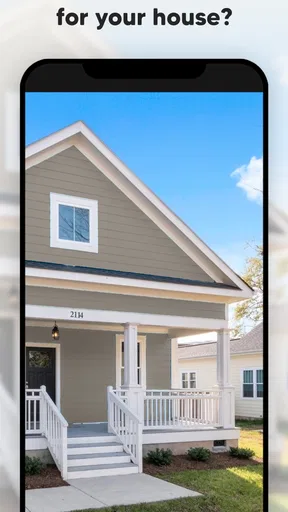
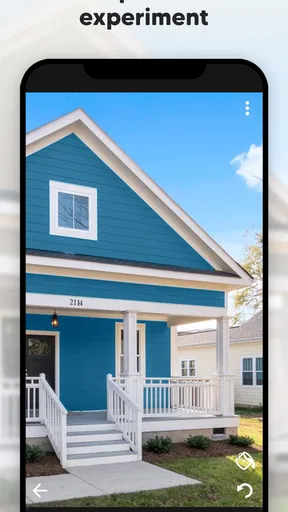
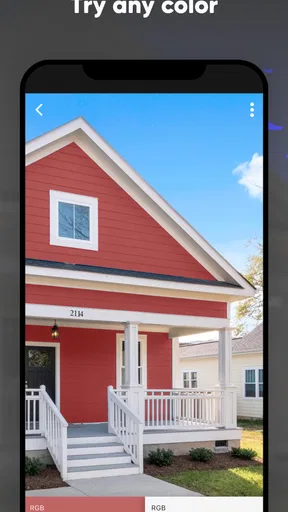
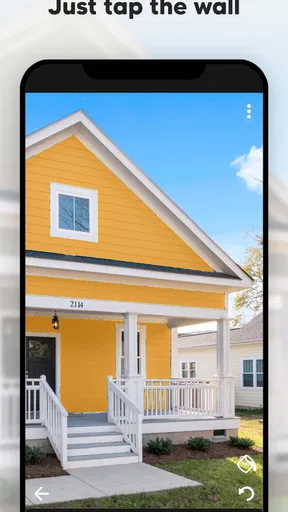
I’d reach for Paint my House: Exterior Color when I’m narrowing down exterior paint ideas, not when I need a final specification for a contractor. Its appeal is immediate: instead of trying to picture a color from a small swatch, I can use a house photo to explore possible looks. That makes it a handy first step for a homeowner who has a few competing ideas and wants to see them against the actual shape of the building.
The app is free to install and sits in the House & Home category. Try the Colors s.r.o. develops it, and its average rating is 4.3 from around 2.9 thousand ratings, with over 100 thousand installs. It is rated for Everyone, so it is approachable for a broad audience. I would still treat the visual result as a planning aid rather than a promise of the exact finish: exterior light, shadows, and the screen you are using all affect what a preview seems to show.
When the connection matters
Because the central task involves working with a photo and exploring colors, a good connection is most useful when the app needs to load or refresh visual resources. I’d start a project somewhere with reliable service rather than assume every part of the experience will be equally responsive in a basement, at a remote property, or while travelling. That is a practical precaution, not a reason to avoid the app: it simply helps keep a quick design session from turning into a wait.
For a real-world workflow, I’d take a clear photo of the house first, then compare a small handful of noticeably different directions: perhaps a light neutral, a deeper shade, and one option that changes the character of the facade. That is more useful than tapping through dozens of near-identical colors without a decision in mind. If a screen or palette takes longer to appear than expected, I’d give it a moment and retry on a steadier connection before starting the comparison again.
Using it around the house
This is most convenient when I can look at the building and the screen at the same time. I can notice which areas are in direct sun, where the roof casts a shadow, and whether a proposed wall color sits comfortably beside the existing trim. A phone makes that easy to do while walking around the property, though a tablet or larger display may be more comfortable for careful comparisons once I’m indoors.
It also suits a quick conversation with someone else involved in the decision. I can show a couple of alternatives on the same house image and ask which direction feels more at home, rather than trying to describe a color from memory. I’d keep those options focused: too many previews can make it harder to tell whether the difference is meaningful or just a change in screen appearance.
What a preview can and cannot settle
Photo-based color previews are sensitive to the source image. A photo taken in strong evening light can make a pale shade look warmer, while deep shadow can make it appear duller; busy backgrounds and visual details can also make a clean comparison harder. I’d take the picture in even daylight, include the whole facade, and avoid heavy filters. If one section looks odd after coloring, I’d check the photo and selection before deciding the shade itself is wrong.
Worth Reading Before You Choose

EA SPORTS FC Mobile 26 Is a Bigger Football Game, but It Takes Time

Flipboard Shows What News Apps Must Do Beyond the Feed

Switching to Android Auto Means Rethinking Your Driving Routine

Google Calendar Makes a Crowded Week Easier to Manage

Ludo King Makes the Most of the Minutes Between Plans

Baby Panda World Brings Quick Play to Modern Phones, but Its Game Library Feels Busy
The image is also not a paint sample. It can help answer, “Do I like this general direction on my house?” but it cannot show precisely how a real coating will look under changing weather or on a particular surface. Before buying paint, I’d check physical samples in the places that receive different amounts of light. For exact matching, product availability, or a finish recommendation, a paint supplier or professional is the better next stop.
First Impressions
From the get-go, the app welcomes you with a sleek and intuitive interface. It's like they knew that the last thing you want when planning a home project is to be fiddling around with complicated tools. Setting up is a breeze—just snap a photo of your house or select one from your gallery, and you're off to the races. The app's highlight? Its augmented reality feature, which lets you see potential color changes in real-time. How cool is that?
Getting Into the Nitty-Gritty
Diving deeper, the app offers a myriad of color palettes to explore. Whether you're going for a bold statement or something more subdued, Paint My House: Exterior Color has you covered. The color wheel is extensive, and the attention to detail is impressive. You can adjust the opacity, brightness, and even experiment with different textures.
One feature that stood out to me was the ability to save multiple projects. This means you can create different looks for your house and compare them side by side. It's like having your own little design studio in your pocket. The app also supports sharing your creations, so you can easily get feedback from friends or family before taking the plunge.
Why This App Stands Out
What really makes this app a winner in my book is its user-friendly nature. I'm not exactly tech-savvy, but navigating through Paint My House: Exterior Color felt like a walk in the park. The app's performance is smooth, with no lagging even when switching between colors or applying textures. Plus, the AR functionality? Hands down, one of the best I've experienced for this type of application.
Moreover, the app provides useful tips and tricks for color matching and design inspiration. It's like having a professional designer whispering in your ear. You’ll also find a variety of pre-set themes that can guide you if you're feeling a bit overwhelmed by the choices. Think of them as training wheels for your creative journey.
Things to Keep in Mind
While the app is pretty fantastic, it’s not without its quirks. For instance, lighting in your photo can affect how the colors appear. So, it's important to take pictures in good light to get the most accurate preview. Also, while the app provides a great visual representation, remember that actual paint colors can vary slightly once applied in real life.
Another thing worth mentioning is that while the basic version of the app is free, there are some premium features that require a purchase. These include access to exclusive color palettes and more advanced editing tools. It's not a deal-breaker, but something to consider if you're all about those extra bells and whistles.
The Verdict
In conclusion, if you're looking to refresh your home's exterior without committing to a single paint job, Paint My House: Exterior Color is a stellar option. It combines cutting-edge technology with design simplicity, making it a must-have for homeowners and DIY enthusiasts alike. Whether you're daydreaming about a new look or seriously planning a renovation, this app provides a fun and efficient way to test the waters.
So go ahead, give it a spin. Your dream house might just be a few taps away!
A useful way to narrow the shortlist
The strongest use case is not picking a final shade in one sitting; it is reducing a large, vague set of possibilities to a manageable shortlist. I’d save distinct directions rather than tiny variations, then revisit them after a break. That pause helps reveal whether I genuinely prefer one look or was simply reacting to the novelty of a dramatic color.
For example, imagine planning a weekend refresh before asking a painter for an estimate. I could photograph the front of the house, make one restrained version and one more noticeable version, then share both with the people who need to agree. The app helps make that conversation concrete. It does not replace checking neighborhood rules, coordinating trim and roof colors, or asking whether the chosen paint is suitable for the exterior material.
Where it fits among other options
Compared with browsing paint chips or scrolling through inspiration photos, this app has a useful advantage: the color is considered in the context of your own facade. That can expose combinations that look appealing on a sample but feel too stark or too dark across a whole wall. Inspiration galleries remain better for discovering styles and seeing professionally finished homes; physical swatches are better for judging the real pigment. I see the app as a bridge between those steps, not a replacement for either.
It is also a lighter starting point than a full home-design program if all I want to answer is, “Which exterior direction should I investigate?” Someone planning several linked changes across a property, needing exact dimensions, or preparing detailed plans for a contractor would be better served by a more comprehensive design tool or a professional consultation. The focused color-preview approach is convenient precisely because it does not ask me to build an entire project model.
Small habits that improve the result
I’d keep the original photo unchanged and work from a copy or a separate saved project when testing a noticeably different idea. That gives me a stable reference and makes comparisons less dependent on memory. I’d also use the same photograph for each candidate color; switching photos between options introduces changes in light and angle that can be mistaken for a color difference.
When a result feels unconvincing, I’d check the boundaries of the area being recolored and the photo’s lighting before changing the shade repeatedly. A color can seem wrong because the image contains strong shadows or because nearby trim changes the contrast. Testing a calmer alternative beside a bold one is often more informative than creating a long series of almost-matching versions.
Costs, expectations, and who should skip it
The app is free, while in-app purchases range from $0.99 to $29.99 per item. I’d begin with the free experience and only consider paying if a particular extra palette or editing option would genuinely help with a decision I’m making. Since the point is visual exploration, there is little value in buying more options before knowing whether the preview workflow suits me.
I would skip it if I expected a precise paint specification, a dependable color match under every lighting condition, or a complete renovation-planning system. It is also a less useful choice for someone without a clear, usable photo of the exterior; getting that image right is part of the work. On the other hand, if I’m a homeowner, renter helping a landlord explore options, or DIY-minded person who wants to compare a few ideas before speaking with a paint professional, it offers a low-commitment place to begin.
Connectivity and a sensible final check
For data-conscious use, I’d prepare the house photo and decide what I want to compare before opening a session, rather than repeatedly uploading or replacing images without purpose. Sharing a preview is helpful for gathering opinions, but I’d send only the image needed for that discussion and remember that a house photo can reveal details about a home. That is ordinary care with personal images, not a special concern unique to this app.
On a weak connection, I’d avoid making a rushed judgment from a screen that has not finished loading or refreshing. If something seems stuck, I’d check the connection, reopen the project, and compare the saved alternatives again before rebuilding the work. The app is most convincing as a connected visual aid for experimenting and discussing choices; for the final decision, I’d put a physical sample on the actual wall and look at it at different times of day.
Version and staying current
The current version is 3.3.134, and the app was released on January 27, 2025. It requires Android 7.0 or later. I’d check that requirement before installing on an older phone, and I’d keep expectations centered on exterior-color exploration rather than assume it will handle every step of a home project. The combination of a focused purpose and accessible entry point is its main strength, as long as I treat the preview as a conversation starter instead of a final paint order.
Pros
- Wide color palette options.
- User-friendly interface.
- Real-time photo editing.
- High-quality image export.
- Supports multiple file formats.
Cons
- Limited free features.
- Requires internet connection.
- Occasional app crashes.
- Ads in the free version.
- Large app size.
FAQs for Paint my House: Exterior Color
What is Paint my House: Exterior Color, and how does it work?
Paint my House: Exterior Color is an innovative app designed to help users visualize different paint colors on their home's exterior. By uploading a photo of your house, you can apply various color swatches to see how different shades will look before making a decision. It uses advanced technology to provide realistic previews, making it easier to choose the perfect color for your home.
Is Paint my House: Exterior Color user-friendly for beginners?
Yes, the app is highly user-friendly, even for beginners. It features an intuitive interface with simple navigation and step-by-step guidance. Users can easily upload photos, select colors, and apply them with a few taps. The straightforward design ensures that anyone can use it without needing technical expertise.
Does Paint my House: Exterior Color offer a wide range of color options?
Absolutely! The app offers an extensive palette of colors and shades to choose from. It includes popular paint brands and collections, giving users access to a diverse selection that caters to various tastes and preferences. This ensures that you can find the perfect match for your design vision.
Can I save and share my color designs with others?
Yes, Paint my House: Exterior Color allows users to save their projects and share them with family or friends. The app provides options to save designs in your gallery and share them via social media or email. This feature facilitates collaboration and feedback, helping you make a well-informed decision.
Is there a cost associated with using Paint my House: Exterior Color?
Paint my House: Exterior Color offers both free and premium versions. The free version includes basic features, while the premium subscription provides access to additional tools, a wider color range, and advanced functionalities. Users can choose the option that best suits their needs and budget.


